
Per-Member usage data and limits are only available on Enterprise plans.
What’s usage analytics and limits?
Enterprise account Admins can now view usage data and set usage limits per team member. Members can view their credit usage and limits and request more credits in their Accounts dashboard.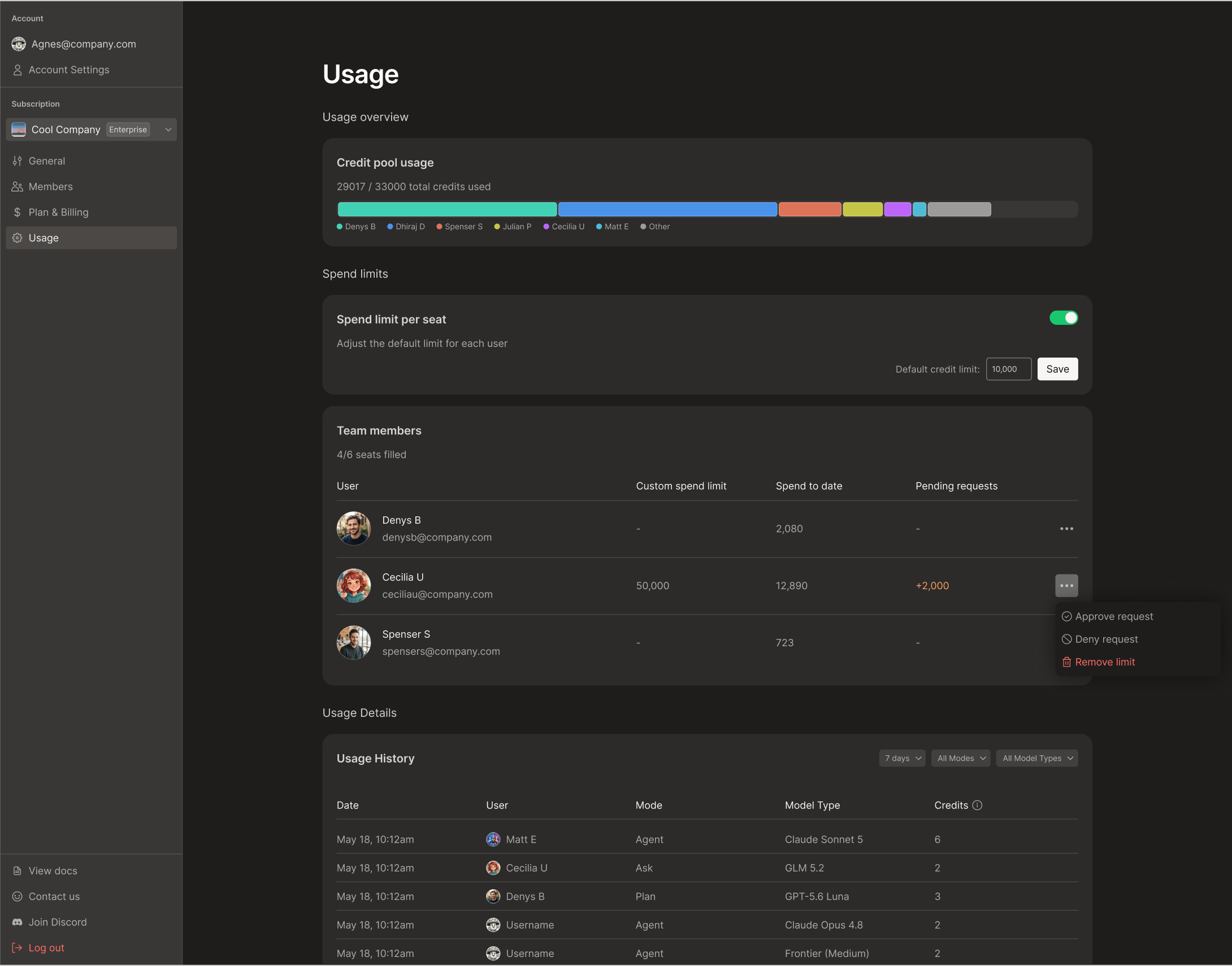
Data Access by Role
Admin Permissions
Set Member credit limits
- Confirm you are the account Admin
- Open the Account page > select the organization
- Open
Usage> scroll to Credit Limits section - Turn on Credit Limit per Seat
- Enter a default Credit Limit and click
Save - To override the default spend limit for a member, locate their row in the Team Member table and add a Custom Credit Limit number
Approve Member credit requests
Members cannot prompt Bezi once they hit their credit limit. To continue using Bezi, the Admin must open Account dashboard and either:- Increase the member’s credit limit (can adjust the Default or the Custom Credit Limit)
- Approve the Member’s request for more credits
... in their row to approve or deny the request.
If your organization’s total credit pool is exhausted, approving a request won’t add more credits to the total pool. The Admin will need to contact the org’s Bezi account contact to purchase additional credits.
Edit or remove a custom limit
Credit limit changes will take effect immediately.- Open the Account page > select the organization
- Open
Usage - Find their row in the Member Credit Limits table
- Edit: Change the number in their Custom Credit Limit column
- Remove: Click
...at the end of their row >Remove limit
Member Permissions
Request more credits if you hit your limit
You’re blocked from prompting Bezi once you hit your credit limit. Request more credits from the Admin to continue work:- Open your Account page > select the organization
- Open
Usage> scroll to Credit Limits section - Click the
...button next to your row - Submit the credit request
- Account Admins receive an email notifying them of the request - if urgent, ping the Admin directly to speed the approval process