
When to use Proofs
Use Proofs for work that needs richer inputs than text. Their functionality; click buttons, filter data, drag elements, is up to you. Prompt Bezi to add whatever you need. Proof examples:- Dialogue and narrative tools: a branching dialogue editor you can click through instead of reading as an indented list
- Data and balance tools: a weapon balance matrix or economy simulator that translates into Unity data assets
- Shaders and visual tools: a shader previewer you can tune and see change live
- Layout and UI tools: a drag-and-drop UI layout builder you can hand-off once it’s right
- Reports and dashboards: interactive charts, heatmaps, other visual data that’s hard to describe in chat form
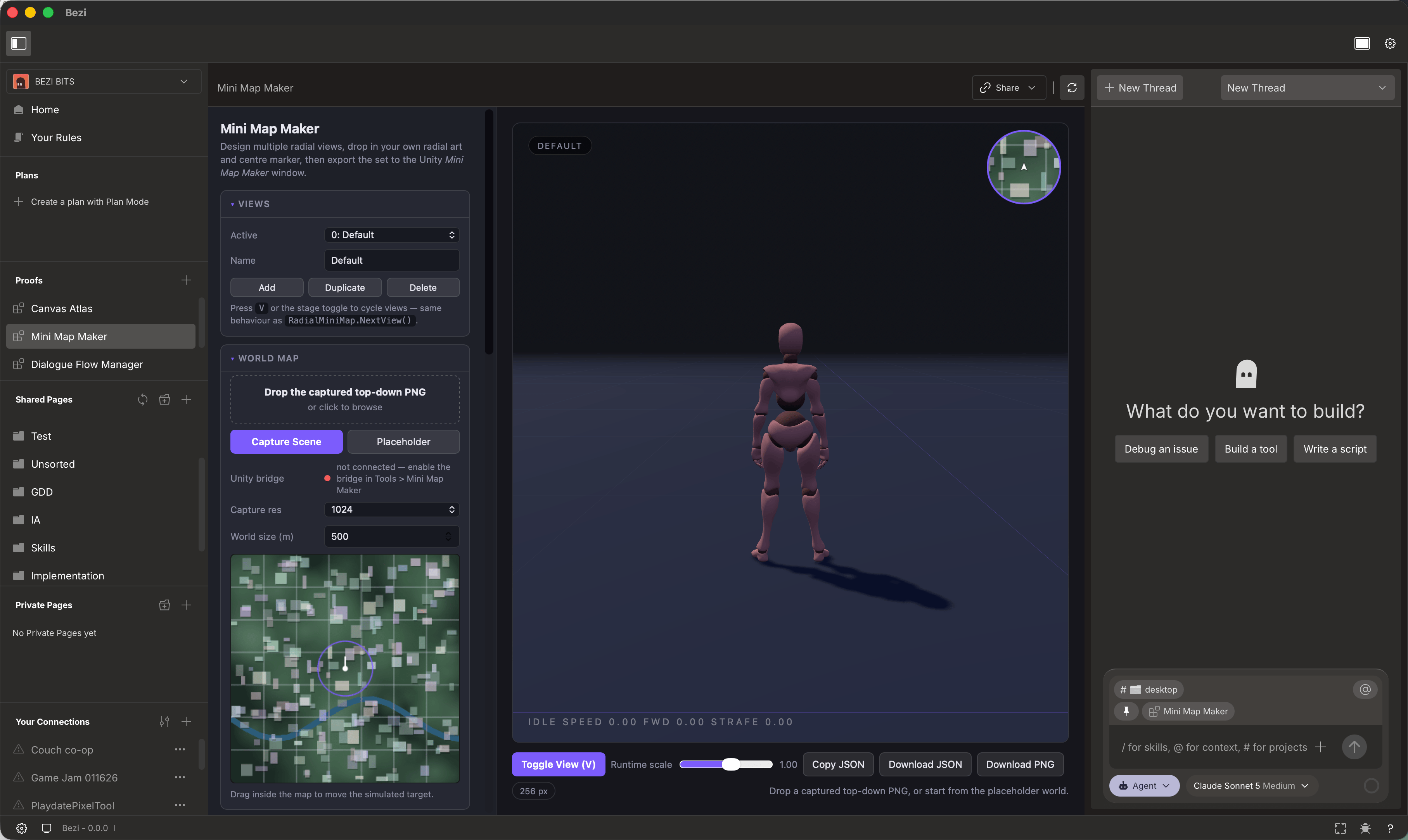
Creating and editing a Proof
Proofs are are lightweight, interactive tools and prototypes rendered in Bezi. They can be created with threads and automatically use Bezi’s context base to inform what’s built.- Prompt Bezi what you want. For example, “Create a new Proof for charting @[data] as a bar graph” or “make a Proof for a simple dialogue tree editor.”
- Bezi generates the Proof; each Proof becomes it’s own page in the section
- Click on the Proof to review; if good as-is, begin to work
- Prompt Bezi to edit the Proof output (manual code-editing surface coming later)
Pushing your changes into Unity from Proofs
Bezi can move your Proof into a Unity project. This works through AI translation, not a live connection: ask Bezi to bring your Proof into the project, Bezi interprets it and auto-creates these changes in-engine. What carries over depends on the Proof’s contents:- Content: a layout or dialogue tree would translate into matching Unity objects or assets
- Data or configuration: a weapon balance sheet, would translates into Unity data assets, like the weapon and enemy ScriptableObjects that use those values
- Ask Bezi to
get Dataorset Dataon each proof. We use thegetProofDataandsetProofDatatools. Bezi will add this functionality to the Proof and the in-memory data can be used to translate to Unity without modifying the Proof code or recreating it - You can ask Bezi to implement
persistenceof the proof data so it’s saved between reloads
Sharing a Proof
Neither sharing option supports real-time updates of Proofs. Once a Proof is exported or published as a public link, the shared version cannot be changed. You will need to republish it or reexport to include any changes.- Export/Import: Export a Proof as a .zip and import one someone else shared with you.
- Publish as public link: Generate a public link to share a Proof with anyone. Use the ‘Publish updates’ button.